
Want to improve your online privacy in a hurry? Take these easy 9 steps now!
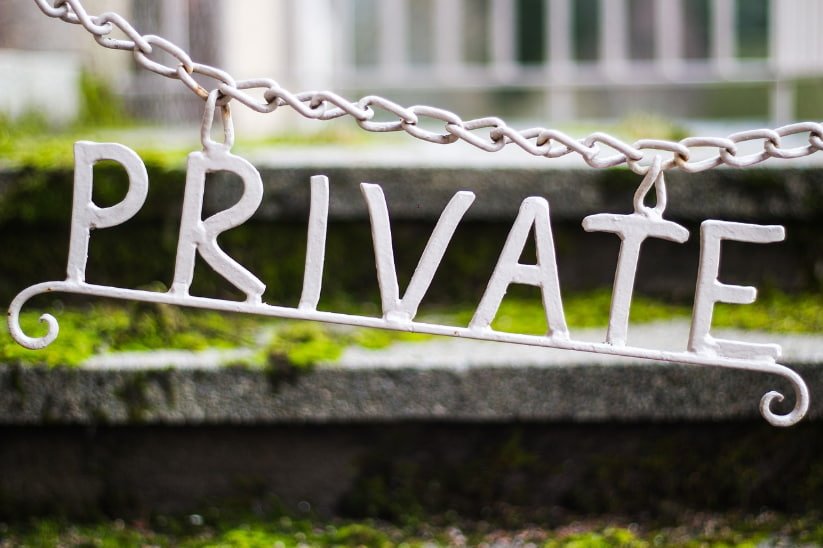
Take these easy steps to improve your online privacy.
The world of digital privacy and security can be pretty intimidating if you’re not already up-to-date on all the latest terms and most advanced tips.
But it doesn’t have to be.
The truth is, there are steps you can take right now to improve your digital privacy, that take no technical know-how and only a couple hours of your time. They'll drastically increase the security of your computer, smartphone, communications, and overall online presence.
No, it won’t make you “invisible” or completely “anonymous” online, but you’ll be a lot safer and have a lot more privacy than you do now.
Sound good? Let’s get started.
'How to Improve Your Digital Privacy & Security' contents (select to expand)
Protecting Your Accounts
These tips will keep your various online accounts safe from hackers.
1. Use different passwords for all of your accounts – and make them strong
Don’t use passwords like ‘password123’ and don’t use the same password for every account.
Can’t remember them all?
A password manager will help, and it’ll even generate strong passwords for you.
2. Stump hackers with two-factor authentication
With two-factor authorization (or 2FA) enabled, hackers will need access to both your login info AND your phone to access your account. This drastically reduces the risk of being hacked.
Enable 2FA for (in order from most to least important):
- Online banking
- Amazon and online retail accounts
- Social media
Protect Your Devices
These tips will help your protect your device, should they fall into the wrong hands.
3. Secure your hard drive with encryption
Your online privacy is important, but what if someone gets access to your computer, either physically or through a virus? This is why your hard drive should be encrypted.
Windows and MacOS have built-in encryption software (but you have to turn it on), or you can use a third-party app. We really like VeraCrypt, which is free
and
open source.
4. Don’t rely on fingerprint or face scanning to secure your smartphone
Neither the fingerprint nor face scanners on your phone are totally secure. Turn them off – and turn on your password protection instead. Read more.
Protect Your Online Traffic
These tips will keep what you look at, do, and say online from prying eyes.
5. Keep eyes off your email with a more secure provider
Google (and most major email providers) can’t be trusted with your info. Replace them with a privacy-oriented, encrypted service, like ProtonMail, to instantly improve your digital privacy.
- find out more about secure email services (and recommendations)
6. Surf with greater privacy with one of these web browsers
Your web browser isn’t protecting your privacy out of the box. There are a few ways to fix that:
- Use the Tor browser (most private, least fast)
- Use the Brave browser
- Configure Firefox for greater privacy with settings and add-ons
7. Search with confidence with a privacy-oriented search engine
Again, you can’t trust Google with your data. Use one of these search engines instead:
- DuckDuckGo (duckduckgo.com) - read more
- StartPage (startpage.com)
- SearX (searx.me)
8. Send encrypted messages with Signal
There are plenty of messaging apps out there, but most of them don’t protect your communications.
But Signal does. It’s easy to use and install. The only hard part is convincing your friends to use it as well!
9. Use a virtual private network (VPN)
One of the easiest but most effective things anyone can do to improve their privacy online is subscribe to a VPN service.
Using a VPN protects your internet traffic with encryption, obfuscates your IP address and location, and much more.
The good VPNs do cost money, but it’s only a few dollars a month – and well worth it.
- here are our top recommended VPNs
Conclusion
All of the recommendations above are easy to implement and won't even cost you much.
In fact, the key to online privacy and security is not to be an easy target.
Many people don't take any steps to protect themselves! That makes them easy prey for hackers and data brokers.
Taking the steps above will mean the bad guys will target more lazy users and you will be safer for it.
Last updated: August 21, 2019