CyberGhost is one of the most commonly recommended VPNs online. But is it as good as they say? And how is it for torrenting?
Now’s the time to find out. Keep reading for our full review of CyberGhost VPN for torrenting.
[+] 'CyberGhost Torrenting' contents (select to expand)
Is CyberGhost Good for Torrenting?
Here’s a quick breakdown of some of CyberGhost's most important torrenting features. We go into more depth on each point in the full review below.
- Openly P2P friendly
- Audited no-logs policy
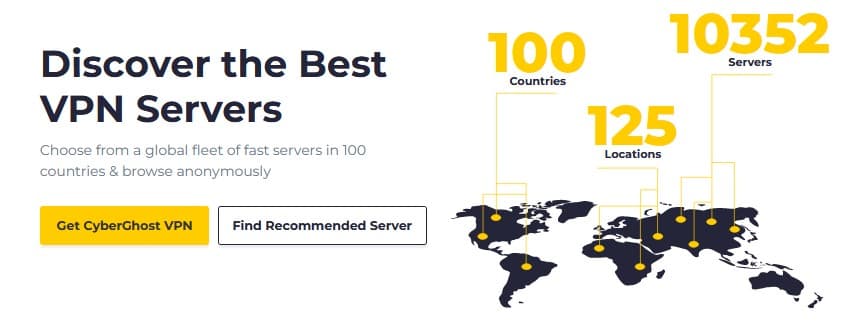
- 10,000+ servers spread across 100 different countries
- Specified torrenting servers
- Wireguard and OpenVPN protocols available
- Based in Romania, outside the “Fourteen Eyes”
- Kill Switch, DNS Leak Protection, and other built-in security features
- Accepts Bitcoin payments
- Quite affordable, with plans as low as $2.19 per month
- 45-day money-back guarantee
- Use up to 7 devices simultaneously on a single account
Is CyberGhost Safe for Torrenting?
When it comes to torrenting with a VPN, the first thing to consider is its safety. So, here’s a look at how CyberGhost measure up in that regard.
P2P Friendly
Torrent traffic can cause problems for VPNs, so many providers either don’t publicly promote P2P – or don’t allow it at all.
But CyberGhost isn’t one of them. Not only do they take a P2P friendly stance on their site, their network and app offers dedicated torrenting servers.
Doesn’t Keep Logs
One of, if not the, most important features for a torrenting VPN is that it does not keep logs.
Because as has been demonstrated in various court cases over the years, these logs can eventually be used to connect you to your online activities, even if your traffic was hidden by a VPN at the time.
Fortunately, not only does CyberGhost provide a very detailed outline of their no-logs policy on their site, they’ve been audited to prove their claims.
Accepts Bitcoin and Other Crypto Payments
While most people will be fine with using their credit card or even PayPal to sign up for a torrenting VPN, others might want an extra layer or security.
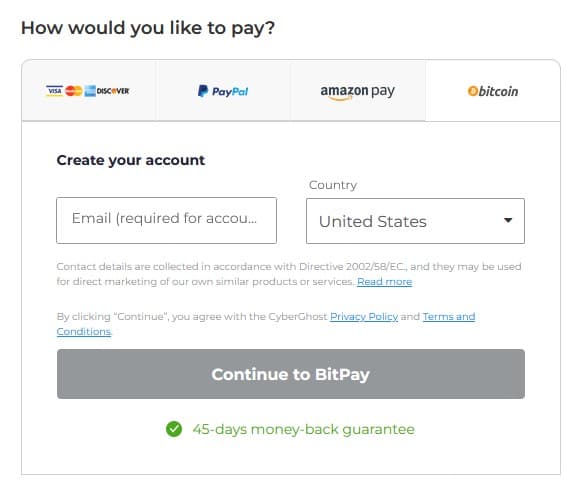
So, it’s good to know that CyberGhost does accept Bitcoin, Ethereum, and several other coins via BitPay.
Conclusion: CyberGhost provides all of the safety and security features we like to see from a torrenting VPN.
Is CyberGhost Fast for Torrenting?
One of the few downsides of using a VPN for torrenting (or anything, really) is that it slows down your internet speeds. For torrenting, that means slower downloads.
Now, the best torrenting VPNs will only have a small, barely noticeable speed decrease. Say, around 10 or 20%.
Unfortunately, CyberGhost performed worse than that, in our tests.
We tested the same torrent with no VPN, then with CyberGhost connected to:
- The nearby server that the app picked for us
- The torrenting server that the app picked for us

Screenshot of download speeds before connecting to CyberGhost VPN.

Screenshot of download speeds after connecting to the fastest normal server chosen by Cyberghost

Screenshot of download speeds after connecting to fastest torrent server auto-selected by CyberGhost VPN.
As you can see, the drop off in speed was already quite significant, at around 50%, with the nearby server. But it got even worse with the torrenting server, likely because it was further away.
With that in mind, we wouldn't necessarily call CyberGhost the slowest torrenting VPN, but it’s certainly not the fastest, as other VPNs we’ve tested have performed much better.
Your best bet when using CyberGhost is to select a server as close to you as possible. Fortunately, they do have a very large collection of 10,000+ servers, spread across 100 countries and 11 different American cities.
Conclusion: CyberGhost's download speeds left a lot to be desired in our testing, but it does have a very large server network.
Is CyberGhost Easy to Use?
In general, commercial VPNs are pretty simple to setup and use. And CyberGhost is no exception.
Fast, Customizable App
It’s always nice to have a VPN with a good, responsive UI, especially if you’ll be using it daily. And CyberGhost's app fits the bill.
It’s intuitive, fast, and has lots of different settings you can tweak to your liking. And its available for multiple platforms, including Windows, Mac, Android, and iOS.
Easy to Connect
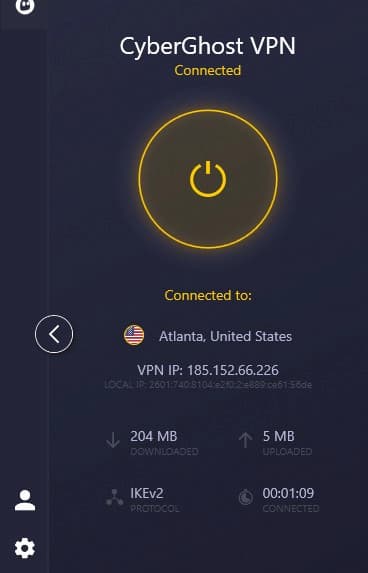
You don’t need to be a tech wizard to use CyberGhost.
In fact, whether you want the app to choose a server for you, or you’ve got a few favorites saved, you can connect with just one click.
And as we hinted at, the app offers multiple different ways to select a server, depending on what you’re looking for.
Numerous Language Options
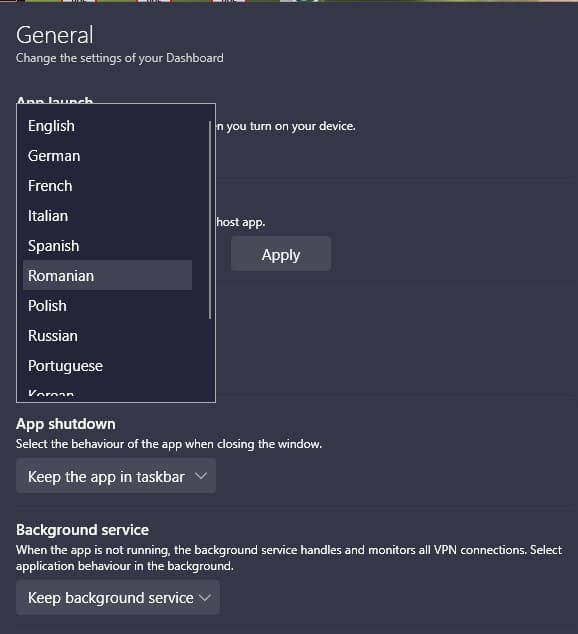
The CyberGhost app comes with support for a ton of different languages, from major ones like English and German, to smaller ones like Romanian or Polish.
Conclusion: From sign up to torrenting, CyberGhost is quite easy to use.
CyberGhost Torrenting Tips
1. Choose the Right Server

When torrenting on CyberGhost, you have a few different server options:
- Letting it automatically pick a torrent server
- Letting it automatically choose the best sever
- Manually selecting a server
For torrenting, the torrent server option is the best bet. Though as we pointed out in our speed tests, these servers may be further away – and thus a bit slower.
Manually selecting a server has the advantage of allowing you to choose one in a country that’s more torrenting friendly. This can further reduce the risk of torrenting.
2. Turn on the Kill Switch
A kill switch performs a rather simple but important function for your VPN. If your VPN connection drops for any reason, the kill switch will shut off your internet connection as well.
Why does this matter? Because if you’re torrenting when your VPN drops, your torrent activities will continue unprotected. With a kill switch, this isn’t a problem, so make sure you turn it on.
3. Use Strong Encryption
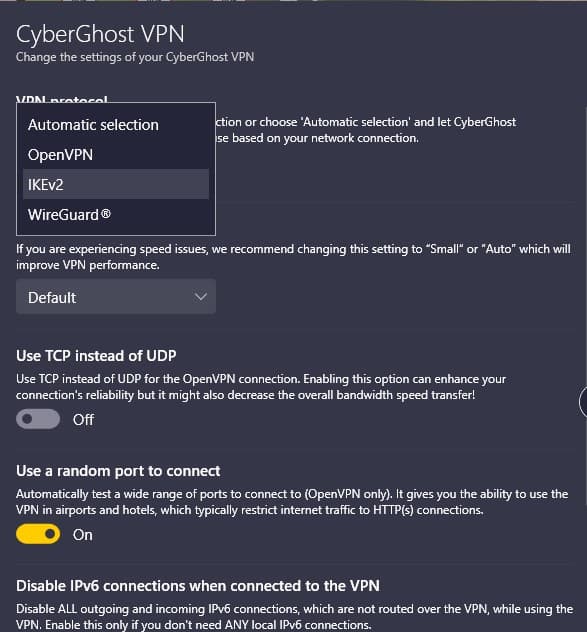
CyberGhost, like many VPNs, offers several different encryption protocols to choose from. However, not all of them created equal.
So, rather than allowing CyberGhost to automatically select the protocol for you, which it does by default, we’d suggest manually selecting either the OpenVPN or Wireguard protocols.
CyberGhost Plans & Prices
CyberGhost only has one plan type, but you can get some pretty hefty discounts if you sign up long term.
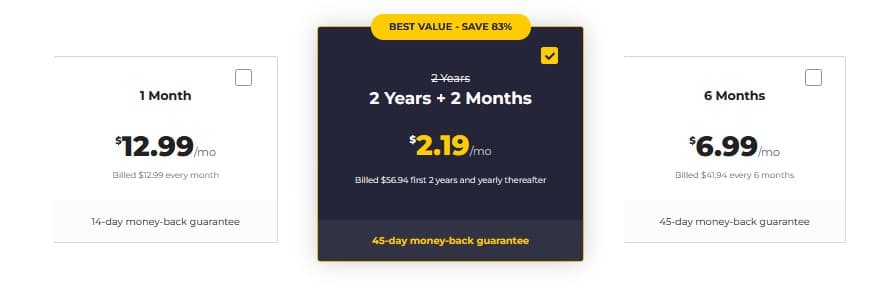
With the two-year plan for $2.19 per month, you’re getting one of the cheaper VPN deals on the market. And it comes with a 45-day money back guarantee, which is more than most competitors.
However, if you’d prefer to pay monthly, you’re looking at $12.99 for a membership.
Conclusion: CyberGhost is one of the most affordable VPNs you’ll find.
CyberGhost Apps
CyberGhost provides apps for:
- Windows
- Mac
- Android
- iOS
There are also Google Chrome and Firefox extensions, as well as options for routers and even Smart TVs. Unfortunately, CyberGhost doesn’t offer a Linux app at the moment, though it’s still possible to use it with the OS.
More CyberGhost Uses
While VPNs are a must-have for torrenting, they do a lot more than that. Here are some of the other great uses for CyberGhost.
Avoid Online Tracking
If you weren’t already aware, almost every site you visit online is trying to collect your data, then using or selling that data for advertisements. If you’ve ever noticed yourself getting ads for products that you recently searched for, this is why.
Of course, online surveillance and data collection can get even more invasive (and scary). Fortunately, a VPN will help avoid a lot of this, since it can keep your web browsing habits separated from your real identity.
Stay Protected on Public Networks
Whether it’s our job, the local cafe, or an airport, we love – and sometimes need – public Wi-Fi. That being said, these networks pose a serious privacy and security risk, especially if they’re unsecured.
You can be hacked, you can be spied on, and you won’t even know it. But a VPN will keep you safe on these networks, though a combination of traffic encryption and other security features.
Access Geo-Restricted Content
From your favorite streaming services to various websites, it’s not uncommon to find online content that’s blocked in your region.
Fortunately, by using a VPN like CyberGhost to change your location, you’ll be able to bypass many of these restrictions. For instance, it’s possible to access the Netflix libraries for different countries with this simply trick.
CyberGhost Alternatives
If you’re not sure whether CyberGhost VPN is right for you, here are some of the top alternatives to consider.
CyberGhost vs Private Internet Access
What PIA does better than CyberGhost: More Servers, Faster Speeds
What CyberGhost does better than PIA: Longer Money-Back Guarantee
Private Internet Access VPN ("PIA") and CyberGhost are similarly priced, but PIA brings more to the table in terms of both features and performance. Hence why PIA is our favorite torrenting VPN.
CyberGhost vs PureVPN
What PureVPN does better than CyberGhost: Cheaper, Better Streaming Support
What CyberGhost does better than PureVPN: More Servers, Longer Guarantee
When it comes to torrenting, PureVPN and CyberGhost are quite close. But we do prefer PureVPN for streaming, so that’s something to consider if you want to use your VPN for Netflix or other streaming services.
CyberGhost: Final Thoughts
Let’s end it with a quick recap of the features that CyberGhost provides for torrenting:
- Audited no-logs policy
- P2P and torrenting friendly
- Kill switch, split tunneling, and DNS leak protection
- Dedicated torrenting servers
- Strong protocols and encryption
- Bitcoin and crypto payments accepted
- 45-day money-back guarantee