

Let's find out how to block Spotify ads!
If you’re tired of having your music interrupted by ads, you’ve come to the right place. This guide will teach you exactly how to block ads in Spotify… without paying a dime. That’s right, it’s all completely free.
And there are some other cool things you can do to customize Spotify, especially with the app, Spicetify, which we’ll cover below.
So, keep reading for our full Spotify ad blocking guide for Windows, Mac, Linux, Browser, Android, and iOS.
Spotify Ad Blocking
Spotify Ad Blocking in Windows
If you’re a Windows user, you’re in luck, since Windows provides the most options for blocking ads in Spotify.
Note: With all of these apps, it’s recommended to use the Windows Desktop version of Spotify, not the Microsoft Store version. If you need it, you can find it here.
SpotX
SpotX is a modified Spotify client, with its main purpose being to block all ads: audio, video, and banner.
You can download SpotX here.
BlockTheSpot
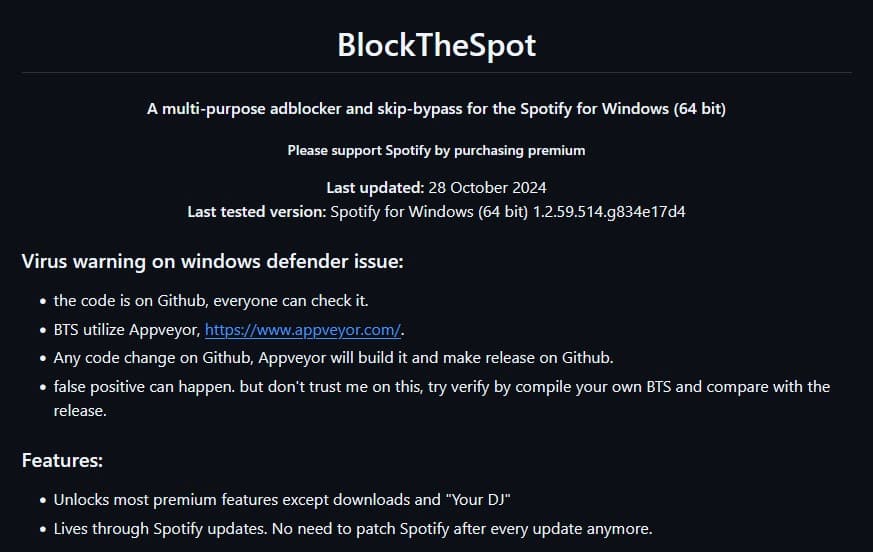
BlockTheSpot goes a bit further than SpotX. Not only does it block ads, it unlocks most premium features, other than downloads.
You can download BlockTheSpot here.
Spicetify
To install Spicetify, you’ll want to navigate to the Install page. While these steps may seem intimidating at first, they’re actually quite easy.
1. Copy the command string under Powershell.
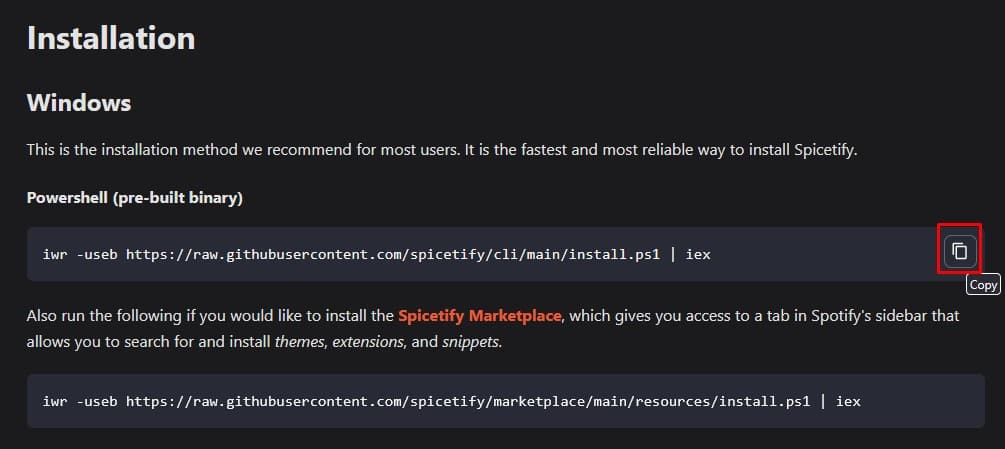
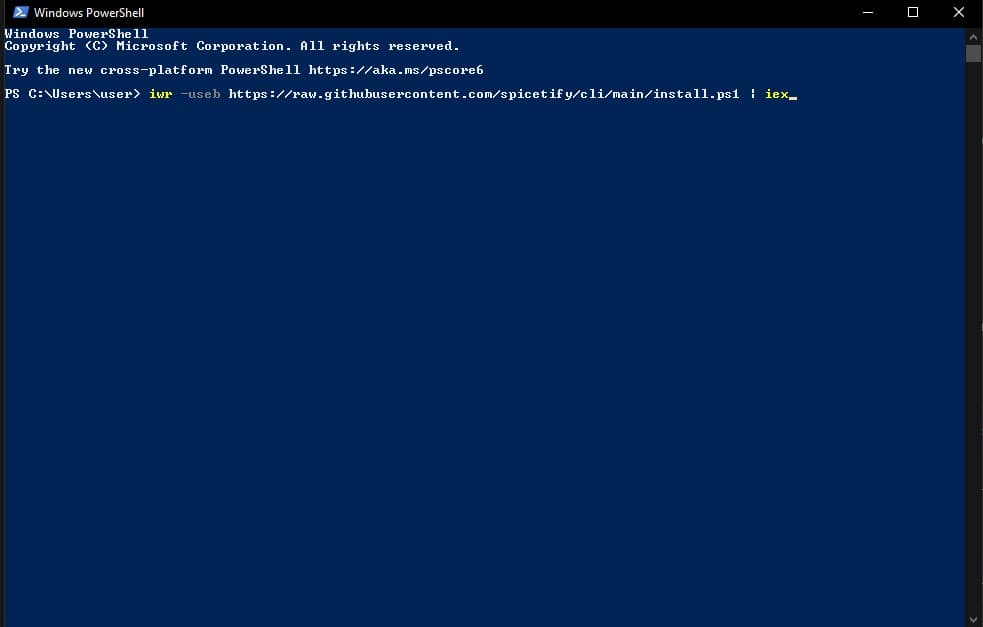
2. Use your Windows search bar to find and open Windows Powershell. Paste the command line and press Enter.
3. After a moment, it’ll ask you if you want to install the Spicetify Marketplace. Type Y for yes and hit Enter.
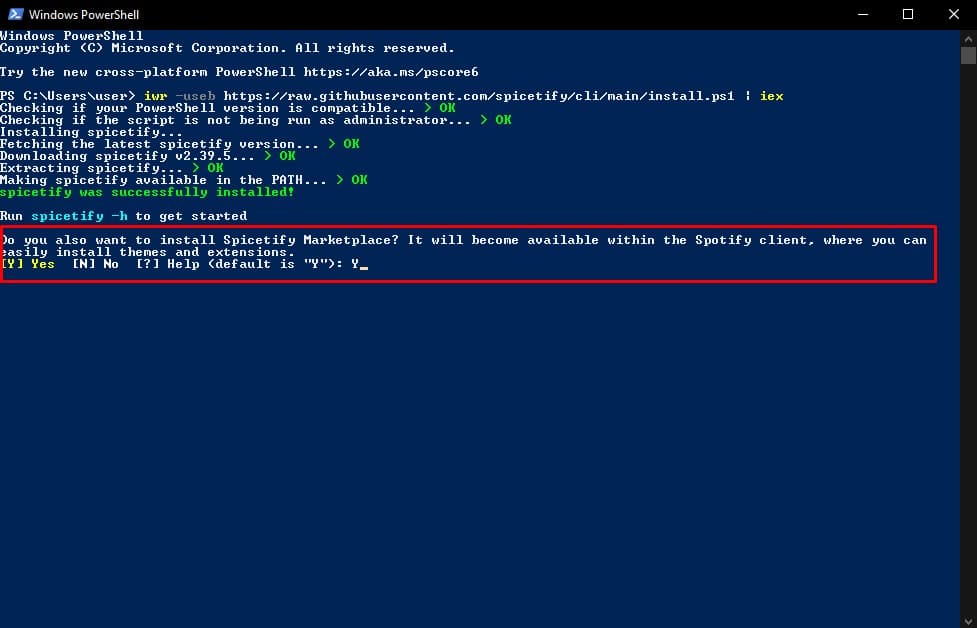
Now, just wait a moment as it finishes installing. It should open Spotify automatically when it’s done. Hopefully, it’s working now. If there were any problems, you may need to uninstall Spotify, re-install the Windows Desktop version (not Microsoft Store), and try again.
Spotify Ad Blocking on Mac
If you’re a Mac user, there are a couple different options for blocking ads in Spotify for free.
SpotX

There’s also a version of SpotX for Mac, allowing you to block video, audio, and banner ads throughout the app, without paying a penny.
You can find the Mac version of SpotX here.
Spicetify
Spicetify is a great tool for Spotify in general, allowing you to customize the app with a whole host of themes and extensions, including an ad blocker.
You can find the Mac version of Spicetify here. Hint: If you need help with installation, check the brief guide under Windows above.
Spotify Ad Blocking in Linux
Linux users have similar options to those of Mac users. Here’s how to block ads in Spotify in Linux.
SpotX
SpotX allows you to block all ads in spotify, from audio to video to banners.
You can find the download for the Linux version of SpotX here.
Spicetify
We recommended Spicetify for Windows and Mac, and Linux will be no exception. It’s just a great overall addition to Spotify, not only for blocking ads.
You can find the Linux version of Spicetify here. For installation help, scroll up to the Windows section.
Spotify Ad Blocking in Browser
While the browser version of Spotify isn’t the preferred method for most people to use the app, it can be a good option if you’re away from your normal device. And there a few ways to block Spotify’s ads.
uBlock Origin
You really should have this installed in your browser anyway, since it’s a great extension for blocking ads and other privacy-related perks.
Spotify Ad Blocker
Another option for Chrome or Chromium browsers, like Brave, is the Spotify Ad Block extension.
You can download Spotify Ad Blocker for Chrome here.
Blocking Spotify Ads on Android Devices
For blocking Spotify ads in Android, there are two good options, one of them easier to use (it’s a simple Play Store app) but less effective, while the other requires a little more tech know-how but offers a better experience in the end.
- Mutify (easy option) – Mutify doesn’t actually block Spotify ads, it just automatically turns down the volume when ads are playing, so you don’t have to listen to them
- xManager (harder option) – xManager isn’t actually hard to use, it just requires being “side loaded”, meaning you can’t download it directly from the Play Store. But once you get it working, it’s a much more robust option for blocking ads in Spotify than Mutify.
Blocking Spotify Ads on iOS Devices
Unfortunately, iOS users get the short end of the stick here. Unless your iPhone is jailbroken (which is beyond the extent of this guide), you may not have any good options for blocking Spotify ads in iOS.
Wrap-Up
As you can see, it’s actually pretty easy to block Spotify ads in Windows, Mac, Linux, Android, or your browser. And it’s totally free! Sorry, iOS users…
What’s your favorite way to block ads in Spotify? Let us know in the comments.